
Capture the job once.
Vehicle, concern, customer details, estimate context, and shop notes start in the same operational record.
Streamline Auto follows the actual life of a repair order: intake, inspection, estimate, authorization, technician work, parts, quality control, and pickup. The screen changes with the work instead of making the shop work around the screen.
A vehicle should never disappear into the gap between “the customer approved it” and “the technician knew about it.”
Streamline Auto is organized around the handoffs where repair shops lose time, context, and confidence.Vehicle, concern, customer details, estimate context, and shop notes start in the same operational record.
Separate recommendation from approval so the shop knows exactly what can move forward.
Technicians, bays, timers, holds, and parts status can be understood without chasing people around the building.
QC, unsafe-vehicle acknowledgement when needed, completion, and pickup live at the end of the same flow.
Different roles see what matters to them while the underlying job stays connected.
A shop should not become helpless because the internet is having a bad afternoon.
Finished orders become a dependable record instead of something that can casually drift after the fact.
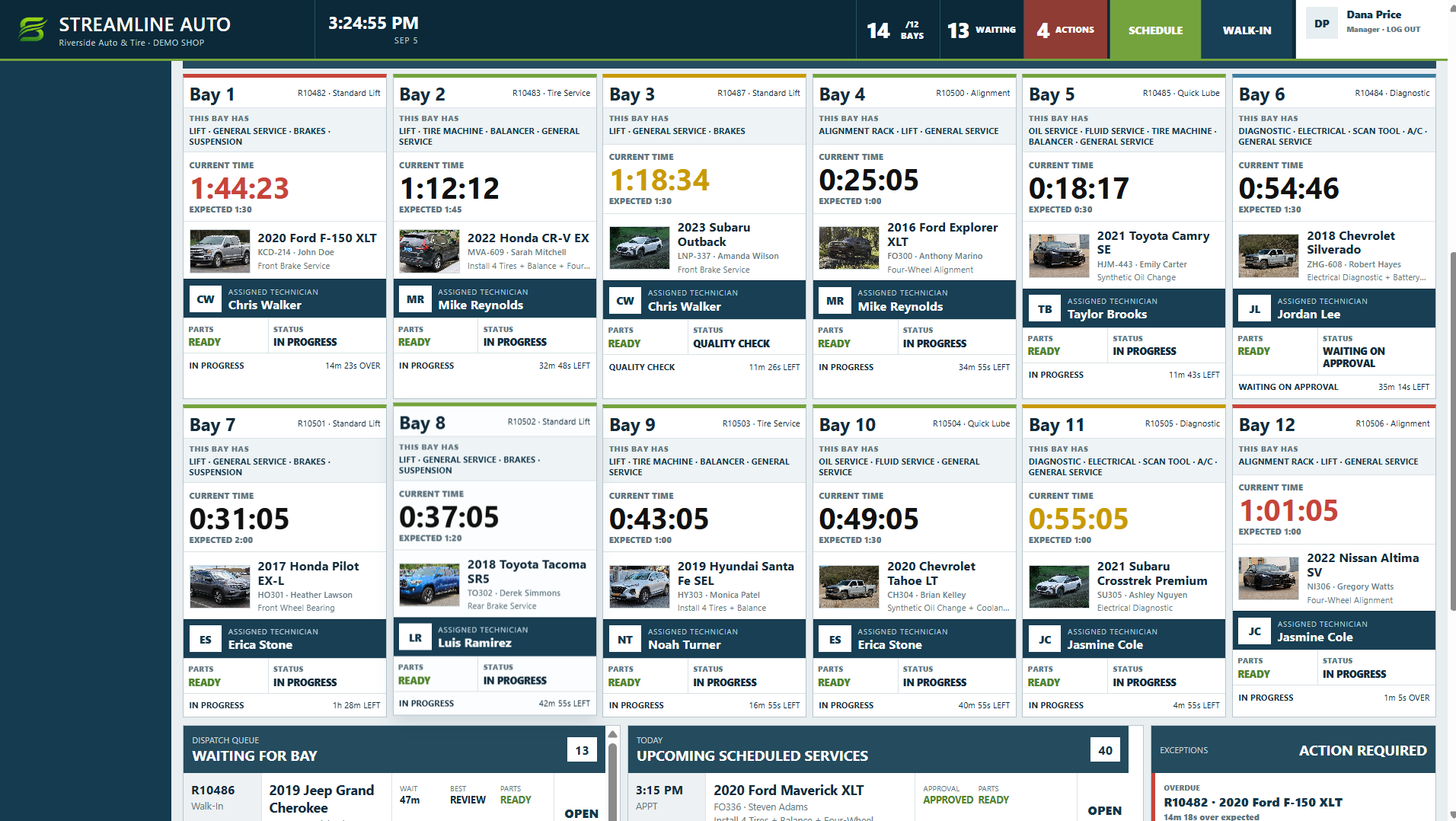
Every occupied bay, vehicle, technician, timer, approval state, waiting job, and pressure point sits in one operational view.
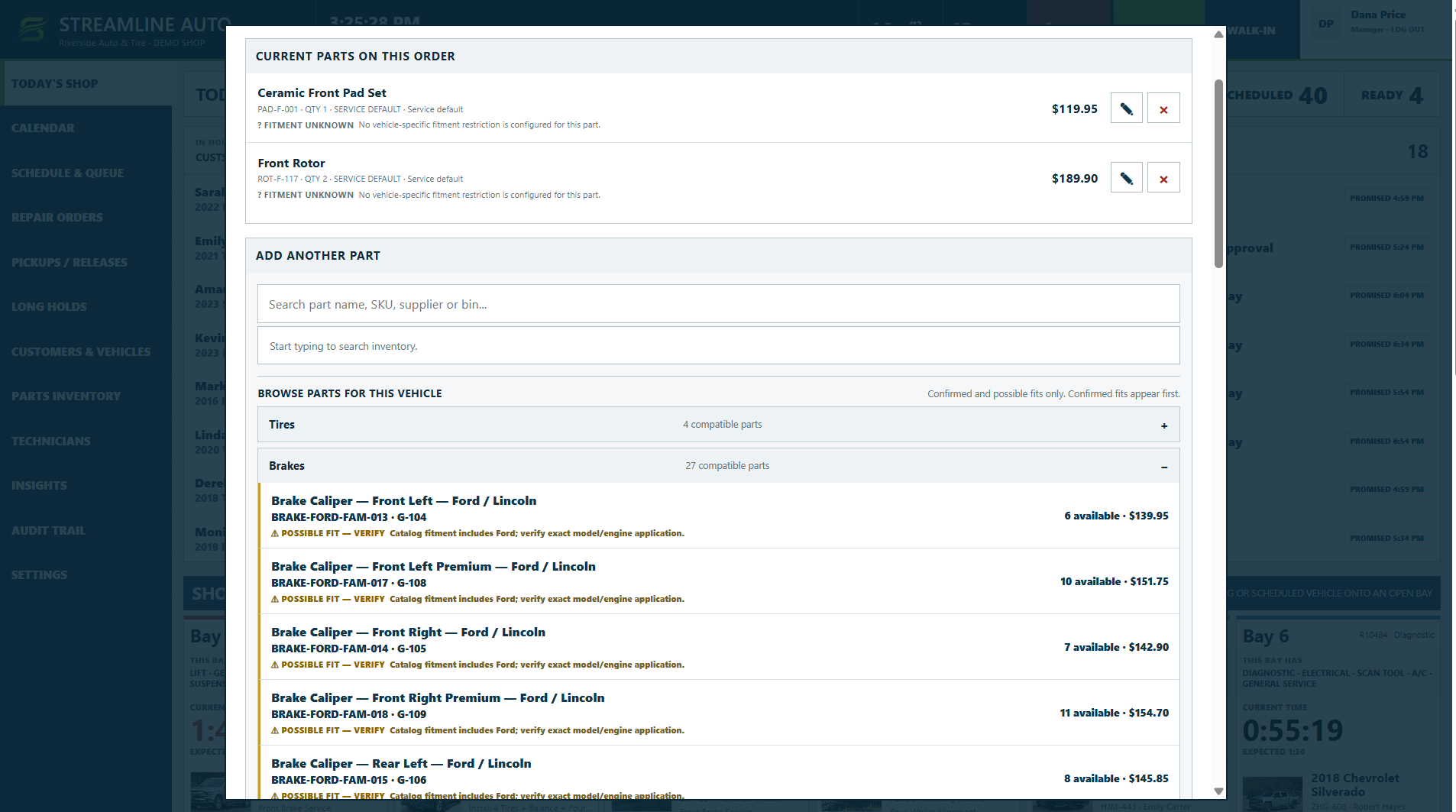
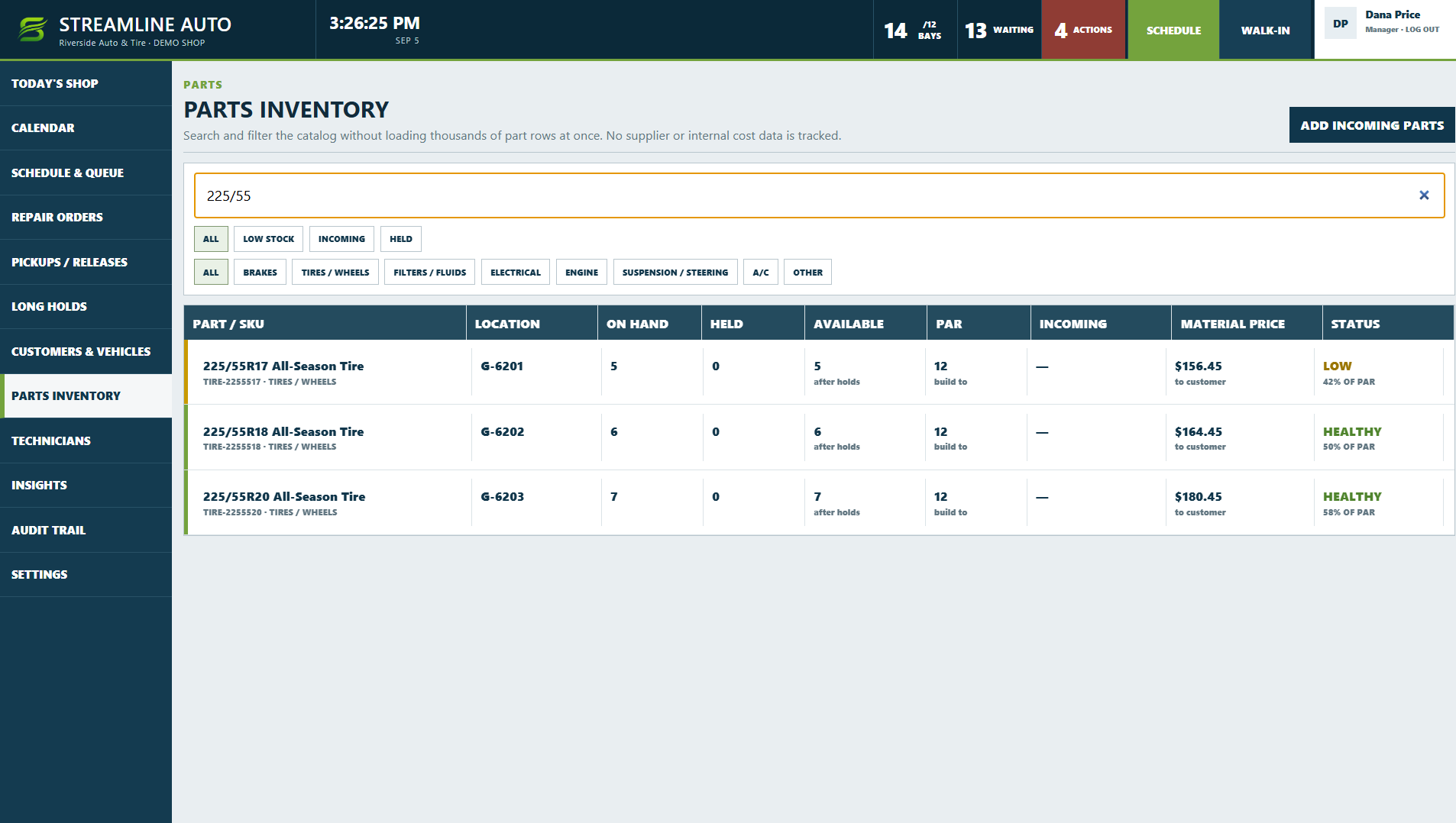
Current order parts, inventory availability, price, compatible categories, and possible-fit warnings stay visible while the advisor or technician is making the parts decision.
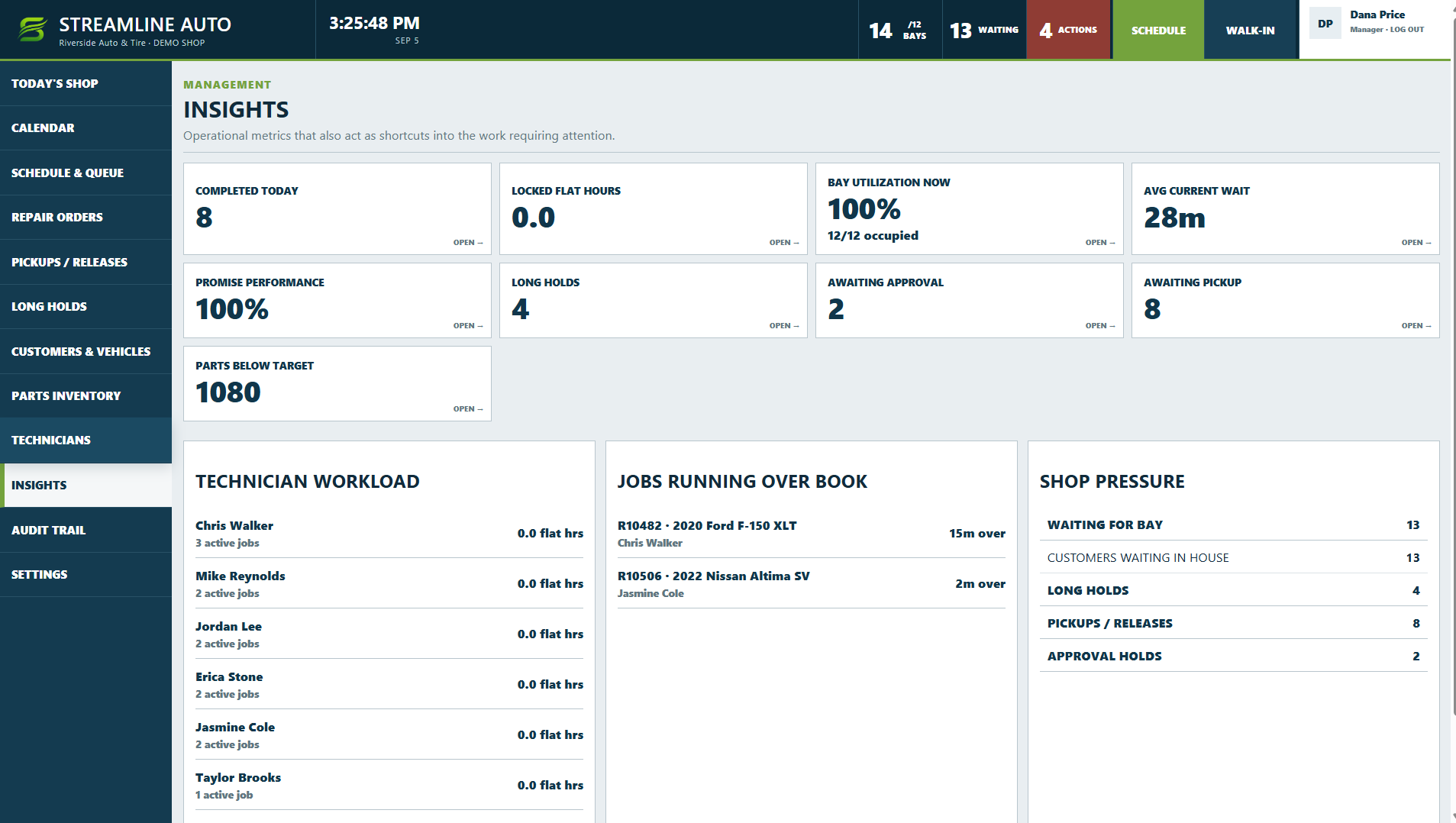
Insights surface bay utilization, current wait, long holds, approvals, pickups, technician workload, and jobs running over book. Inventory separates what is physically on hand from what is already held for work.
We’ll talk through the workflow before we talk about replacing it.